BTE1522 DRE2213 – Week 6 MicroPython Digital Input and Output

Dear DRE-BTE-ians,

This week we move forward to explored how data structures and programming concepts come to life through the Raspberry Pi Pico. We completed Activity 1 (Digital Output), Activity 2 (Traffic Light), and Activity 3 (Digital Input), each introducing a new layer of understanding in Python programming and physical computing.

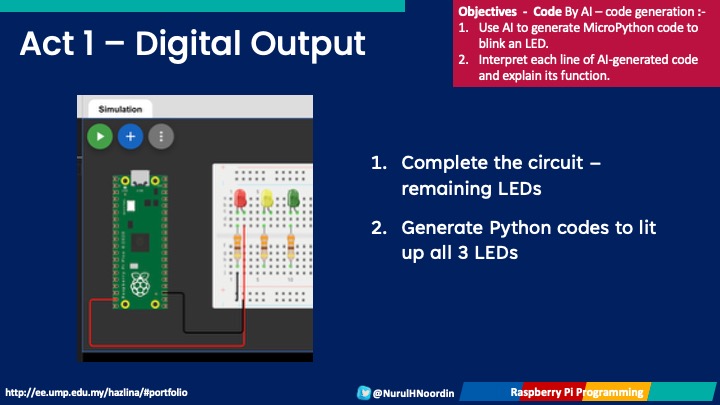
Activity 1 – Digital Output: Lighting Up with Variables

We began with the most fundamental task, turning an LED ON and OFF.
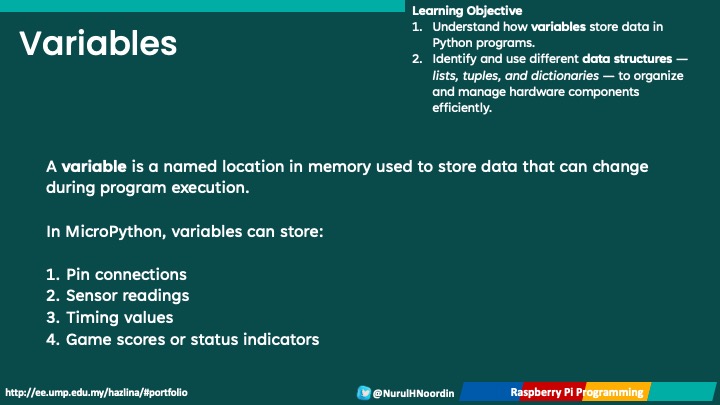
Through this, students learned:

    1. How to define and use variables to store pin numbers and LED states

    2. How data types like integers and booleans control hardware behavior

    3. How to send output signals using the Pin() function and .on()/.off() commands

This activity established the foundation for understanding how code interacts with physical devices. Also, we make use of Wokwi online simulator, which is good especially in learning the basic concepts.
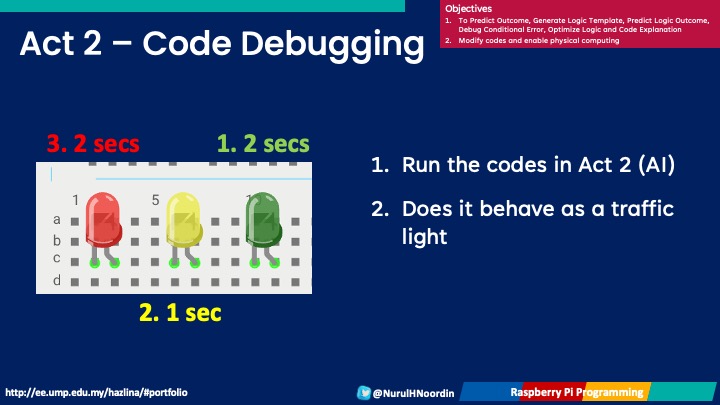
Activity 2 – Traffic Light Simulation: Learning Data Structures

Next, we built a traffic light simulation using three LEDs (Red, Yellow, Green).
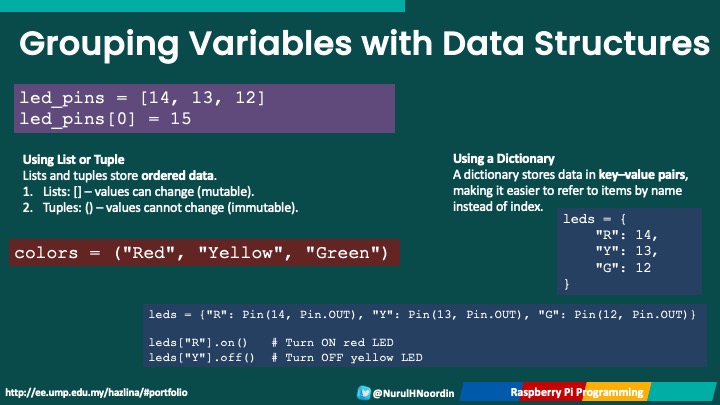
Here, students experimented with different data structures to organize and control multiple outputs:

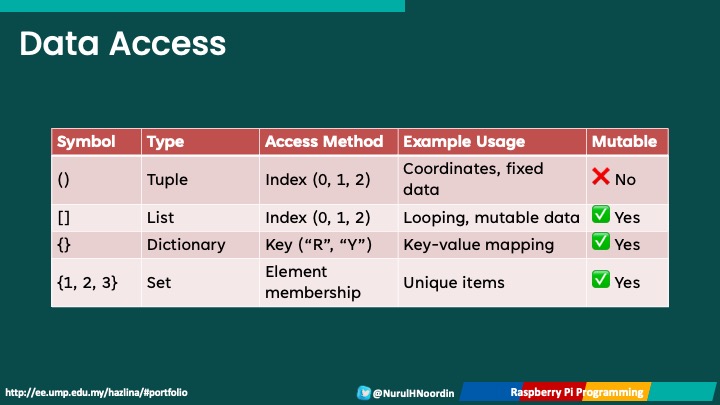
      1. Lists ([]) to store LED pins in a sequence

      2. Tuples (()) for fixed sets of pins

      3. Dictionaries ({}) to label LEDs for clarity ("R": 14, "Y": 13, "G": 12)

They also explored how to simplify code using loops and sleep statements to manage timing:

for led in leds:
led.on()
time.sleep(1)
led.off()

This hands-on activity demonstrated how data organization directly impacts code simplicity and readability.

Activity 3 – Digital Input: Reading from Buttons and Switches

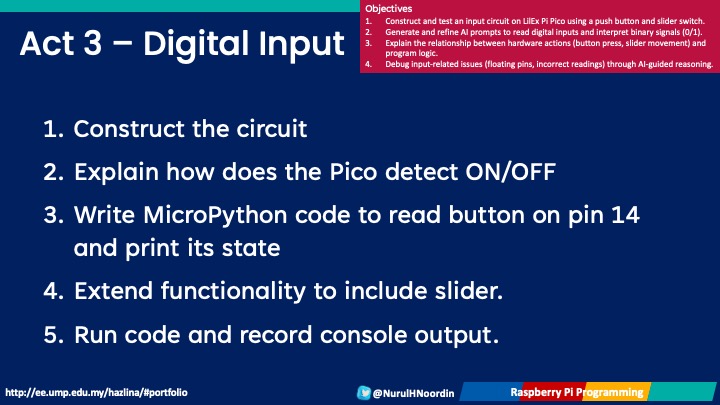
The third activity introduced digital input, connecting push buttons and slider switches to the Raspberry Pi Pico.
Students learned to:

      1. Read input values (0 or 1)

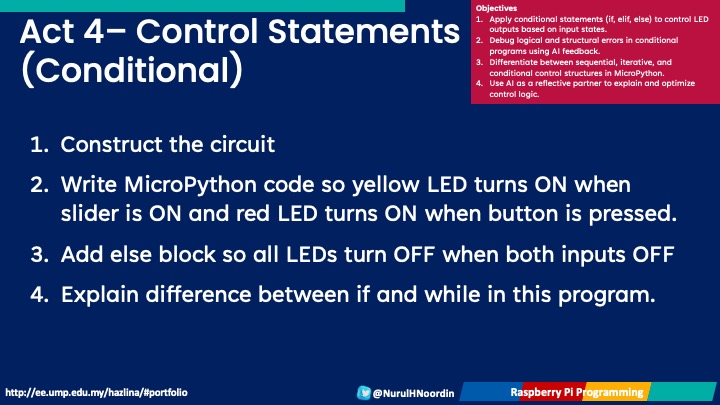
      2. Use conditional statements (if/else) to make the LED respond to user actions

      3. Understand Boolean logic and how it drives interactivity in real-world systems

This activity tied together input → process → output, emphasizing the logic flow that underpins all embedded systems.
Through these activities, you’ve not only focued on the essential coding techniques but also explored core data structures that make programs efficient and scalable. Understanding how lists, tuples, and dictionaries manage data sets the stage for more complex IoT and sensor-based applications in upcoming sessions.

Next week, we’re having Midterm Test =).

We’ll continue building upon these concepts as we move toward conditional programming and sensor integration, after the midterm break. Great work everyone — keep experimenting, debugging, and learning by doing!

STEM Lab Workshop on Structured Literature Review

The UMPSA STEM Lab conducted a Structured Literature Review (SLR) Workshop today aimed at helping final-year students strengthen their understanding and writing of Chapter 2 for their senior design projects. Recognizing that the literature review is the foundation of any research, this session focused on introducing students to a systematic way of collecting, analyzing, and presenting existing research, ensuring their work is both comprehensive and credible.

In research writing, there are generally four main types of reviews: narrative review, systematic review, scoping review, and structured literature review (SLR). Among these, the SLR approach is particularly valuable for engineering and technology-based projects, as it enables researchers to identify research gaps and establish a clear direction for their study based on evidence.

During the workshop, students were guided through several key stages of the SLR process, starting from identifying the right keywords, searching for relevant articles across reputable databases, to clustering and categorizing the collected literature according to research themes. Through hands-on practice, participants learned how to use digital tools to organize their sources efficiently, while maintaining critical analysis throughout their writing.

The session not only strengthened students’ academic writing skills but also encouraged research discipline and analytical thinking, both essential for producing high-quality theses.

The UMPSA STEM Lab remains committed to supporting students through capacity-building workshops like this, ensuring that each research project reflects both academic rigor and innovative spirit.


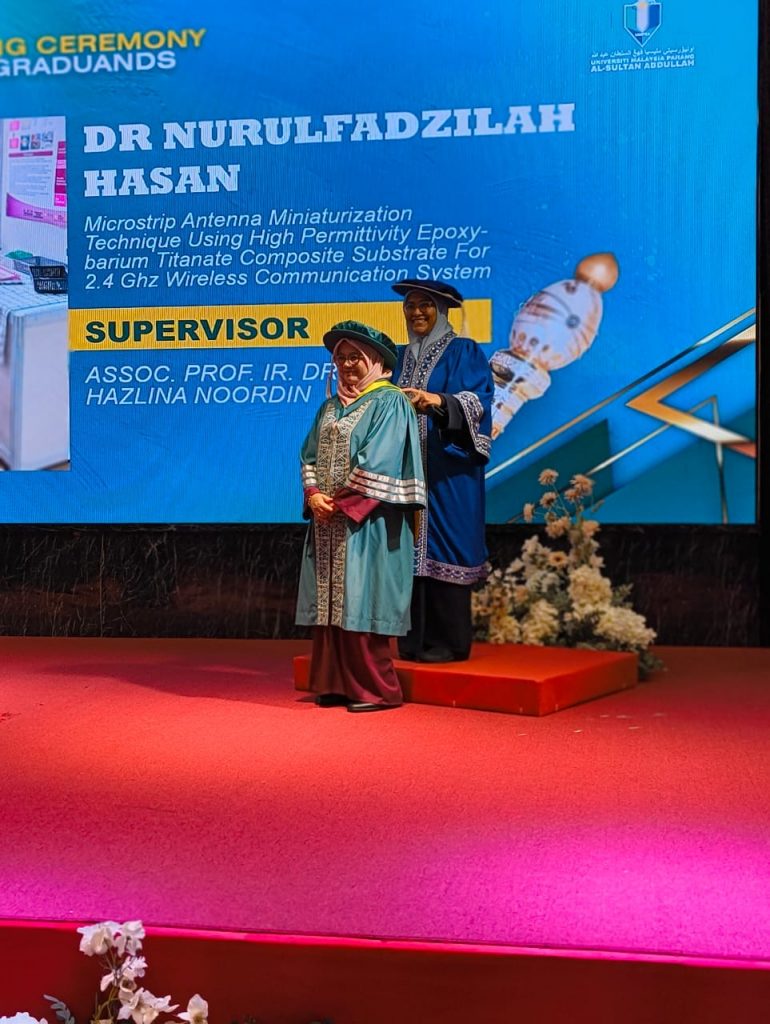
Congratulations Dr Nurulfadzilah Hasan :)

Congratulations Dr. Nurulfadzilah Hasan for successfully completing her PhD at the Universiti Malaysia Pahang Al-Sultan Abdullah. Her unique journey stands as a persona of perseverance, dedication, and passion for knowledge.

Her research focused on formulating a novel material, barium titanate, for microstrip patch antenna applications. Through her innovative approach, she successfully achieved a high dielectric constant, contributing to the miniaturization technique of antenna design. This advancement not only demonstrates scientific excellence but also opens new possibilities in the field of wireless communication.

Balancing the demanding roles of a mother, lecturer, and researcher is no easy feat. Yet, Dr. Nurulfadzilah has managed to navigate each with grace and resilience, setting a powerful example for aspiring researchers and working mothers alike.

As her supervisor, it has been an honor and privilege to guide and learn alongside her. This project has enriched my own understanding, particularly in the chemical, electrical, and mechanical characterization of materials for antenna design.

The antenna is the heart of wireless communication, the bridge that connects people, ideas, and technologies. By pushing its boundaries through material innovation, we move closer to improving the way humans live, communicate, and interact.

Once again, congratulations Dr. Nurulfadzilah on your outstanding achievement. Your hard work and determination truly embody the spirit of scientific discovery and lifelong learning :).

BTE1522 DRE2213 – Week 5 Group Work Slider Game Modifications

Well done everyone!

This week is a milestone for our BTE/DRE class as every group proudly presented their Slider Game project progress. It was inspiring and proud to see how each team creatively modified and improved their game based on the previous week’s work.

From new features to refined gameplay mechanics, the modifications were innovative, functional, and well-executed — truly showcasing your growing confidence in Python programming. Well done, everyone!

Embodiment of the Slider Game in Learning Programming Concepts

The Slider Game has served as more than just a fun project — it’s a powerful learning embodiment of key Python programming concepts. As you troubleshoot, refine, and enhance your code, you’re reinforcing the very foundation of computational thinking.

Here’s how the game connects to core programming elements:

      • Variables – Used to store and update game data such as player position, speed, and score.

      • Libraries – Imported Python modules that expand functionality (for example, pygame for game design).

      • Boolean Functions – Used to determine logical game conditions such as collisions, game over, or win states.

      • Mathematical Functions – Handle calculations for movement, boundaries, and scoring mechanisms.

      • def Functions – Help organize your code into reusable blocks, making your program easier to manage.

      • Control Statementsfor loops, if–else conditions, and input controls bring interactivity and flow to your game logic.

      • Limiting Factors – Define the movement boundaries and maintain balance in gameplay, preventing unintended behavior.

By understanding and applying these concepts, you’re not just building a game, you’re mastering the structure and logic of programming through hands-on experience.

Submission Requirements

To complete this stage of your assignment, please ensure the following are submitted:

    1. Python Code

      • Submit your final Python code with clear comments explaining all modifications made to the original version.

    2. Report

      • Include a report that consists of:

        1. A README file with instructions on how to play your game.

        2. An overview of your modifications and their impact on gameplay

        3. (Optional) Flowcharts or pseudocode illustrating your game logic.

    3. 3-Minute Video

      • Record a short 3-minute demo video showcasing your game.

      • Explain the gameplay, code modifications, and the rationale behind your changes.

      • Upload the video to YouTube and share the link in your submission.

The progress you’ve shown so far demonstrates a strong grasp of Python programming, logical reasoning, and creative thinking. Each group has successfully transformed theory into an interactive digital experience, a reflection of project-based learning.

Keep up the excellent work, and don’t forget to complete your submissions on time.


Next week, we’ll continue to refine our understanding as we move toward hardware integration and sensor-based projects — bringing your code to life beyond the screen!