
Creating an Arduino project gives you a sense of satisfaction like no other. The problem is, most beginners aren’t sure where to start. There are various ways to start to build a project using Arduino, but before I explain more on my own experience in understanding the advantages of Arduino board, let’s understand the uses and basic terms of this board.
To understand the whole process of building a project using Arduino, this process is divided into six important processes;
- What is Arduino Board Platform?
Arduino is a single-board micro-controller, intended to make building interactive objects or environments more accessible. Arduino is a tool for making computers that can sense and control more of the physical world than your desktop computer. It’s an open-source physical computing platform based on a simple micro-controller board, and a development environment for writing software for the board.
- Download Arduino Software (IDE)
In order to get your Arduino work and running. you’ll need to download the newest version of the arduino software first from www.arduino.cc (it’s free!).
- Install Driver
Depending on your computer’s operating system, you will need to follow the instructions. Please go to https://learn.sparkfun.com/tutorials/how-to-install-ftdi-drivers for specific instructions.
- Open Arduino IDE
Explore the Arduino IDE software on your computer. Make sure connect the Arduino board to your computer’s usb inputs. In Arduino GUI (Graphical User Interface) there is basically 9 basic interfaces known such as
- Verify: Compiles and approves your code.
- Upload: Sends your code to the Arduino Board.
- New: This button open up a new code window tab.
- Open: This button open up an existing sketch.
- Save: This saves the currently active sketch.
- Serial Monitor: It is very useful for debugging.
- Sketch name: Shows the name of the sketch you are currently working on.
- Code Area: This is the area where you compose the code for your sketch.
- Message Area: This is were IDE tells you if there were any errors in your code.
- Select your board.
Select the serial device from Tools Serial Port Menu. This is likely to be com 3 or higher because Com 1 and com 2 are usually reserved for hardware serial ports.
- Download the Arduino Code (For use with the circuits in this guide)
You can upload “Arduino guide code” into “Examples library in Arduino Folder. You can learn more from this website: http:/www.arduino.cc/playground/Learning/Linux.
There are also some Inventor’s Guide kit walks you through the basics of Arduino and electronics in a hands-on way.
Student will be able to build 15 projects using components that let you control the physical world through different kinds of sensors and actuators.
Once you have mastered this knowledge, you will have a palette of code and circuits to create something beautiful, and make someone smile with what you invent. So build, hack and share!
Projects you can make:
1) GET TO KNOW YOUR TOOLS an introduction to the concepts you’ll need to use this kit
2) SPACESHIP INTERFACE design the control panel for your starship
3) LOVE-O-METER measure how hot-blooded you are
4) COLOR MIXING LAMP produce any color with a lamp that uses light as an input
5) MOOD CUE clue people in to how you’re doing
6) LIGHT THEREMIN create a musical instrument you play by waving your hands
7) KEYBOARD INSTRUMENT play music and make some noise with this keyboard
8) DIGITAL HOURGLASS a light-up hourglass that can stop you from working too much
9) MOTORIZED PINWHEEL a colored wheel that will make your head spin
10) ZOETROPE create a mechanical animation you can play forward or reverse
11) CRYSTAL BALL a mystical tour to answer all your tough questions
12) KNOCK LOCK tap out the secret code to open the door
13) TOUCHY-FEEL LAMP a lamp that responds to your touch
14) TWEAK THE ARDUINO LOGO control your personal computer from your Arduino
15) HACKING BUTTONS create a master control for all your devices!
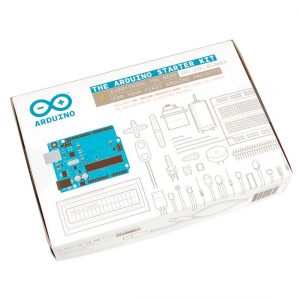
Arduino Starter Kit
Leave your thoughts here